Spam Filter Basics
The spam filter runs seamlessly out of the box. Use this reference layout to manage your incoming quarantine dashboard, create secure query access, and configure custom senders.
Propagation Timeframe Warning
If you have recently updated your domain routing or provisioned a new SpamExpert account profile, please allow up to 24 hours for the global mail network parameters to complete synchronization loops.
Account Access & Creation
There is zero requirement to manually establish mailboxes inside the filtering platform. The secure cluster actively scans your primary server topology, detects active accounts on your domain map, and mirrors mailbox permissions automatically.
Before individual account holders can manage quarantined delivery matrices, they must authorize a platform access token. Visit the retrieval gate to declare your credentials:
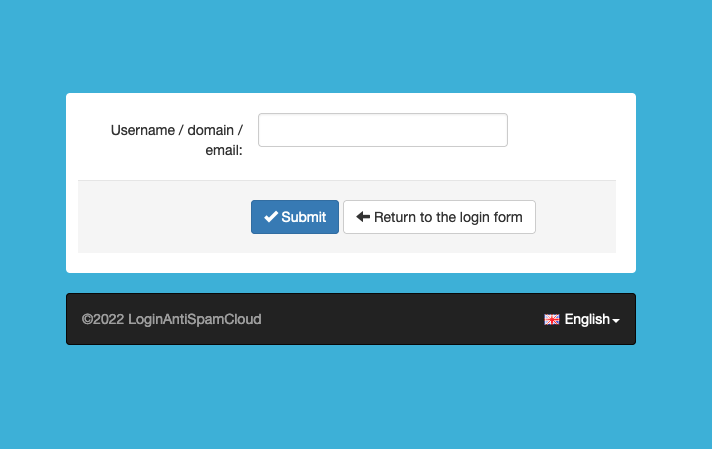
View Quarantined Emails
Identify, sort, and isolate unverified delivery sequences using the backend administrative cluster utility grid.
Executing Query Rules
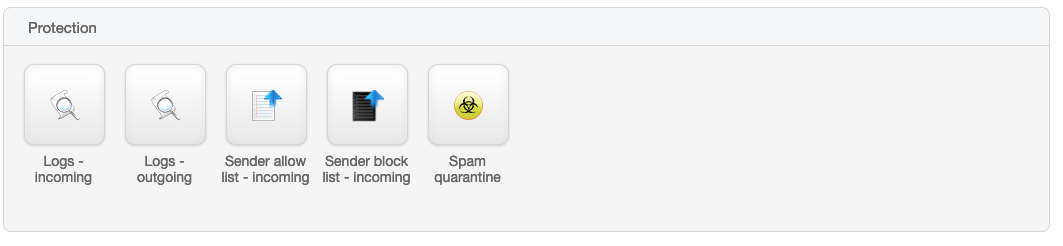
Navigate directly to the Protection container array on your administrative dashboard map, and select the Spam quarantine vector icon.
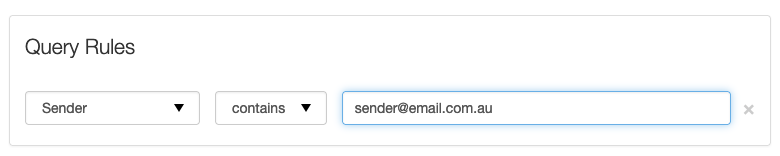
To quickly isolate a missed business validation message, you can establish structural Query Rules to narrow the system parameters down to a precise sender address string:
- 1. In the primary parameter container fields, define: Sender
- 2. Set the evaluation condition string to match: Contains
- 3. Input the complete core path target address: user@example.com
Release from Quarantine
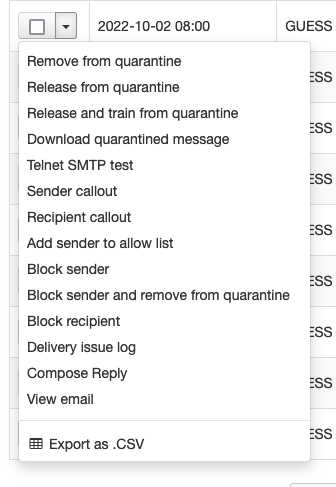
Each transactional log signature inside the active block storage cluster retains an independent action dropdown node map.
Executing a Release from quarantine profile override delivers that single transaction packet straight to your client inbox structure. To authorize a permanent bypass rule for all subsequent records from that entity, you must explicitly construct an inclusion rule.
Adding Senders to Allow List
Adding entities to the global incoming whitelist instructs the mail architecture to process incoming messages instantly, independent of underlying vector body scanning logic. Only execute this bypass rule when an identity signature is entirely verified.
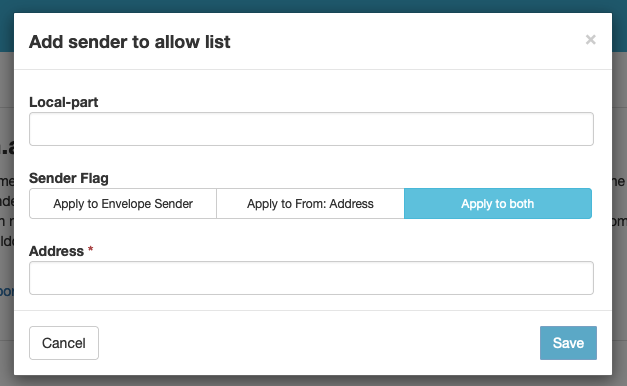
Navigate to Protection and click Sender Allow List - incoming. Click the tool labeled "Add sender to allow list" to map your conditions:
- ✓ Envelope Validation: Choose to verify the envelope sender token routing, the header From: array data structure, or enforce validation checks on both tracking layers.
- ✓ Domain-Wide Multi-Mapping: To target a whole corporate network, drop the root address entry without the standard prefix character (e.g., inputting example.com handles every child inbox).
- ✓ Top-Level Catch-All Wildcards: Target localized geographical code frameworks by executing a master wildcard tracking token map (e.g., *.nl or *.au).
Still Encountering Blocked Connections?
If an urgent client sequence continues failing to clear the filtering matrix layers, reach out to your system administrator directly to track the live connection log signatures.
Open Support Request Ticket